information architecture
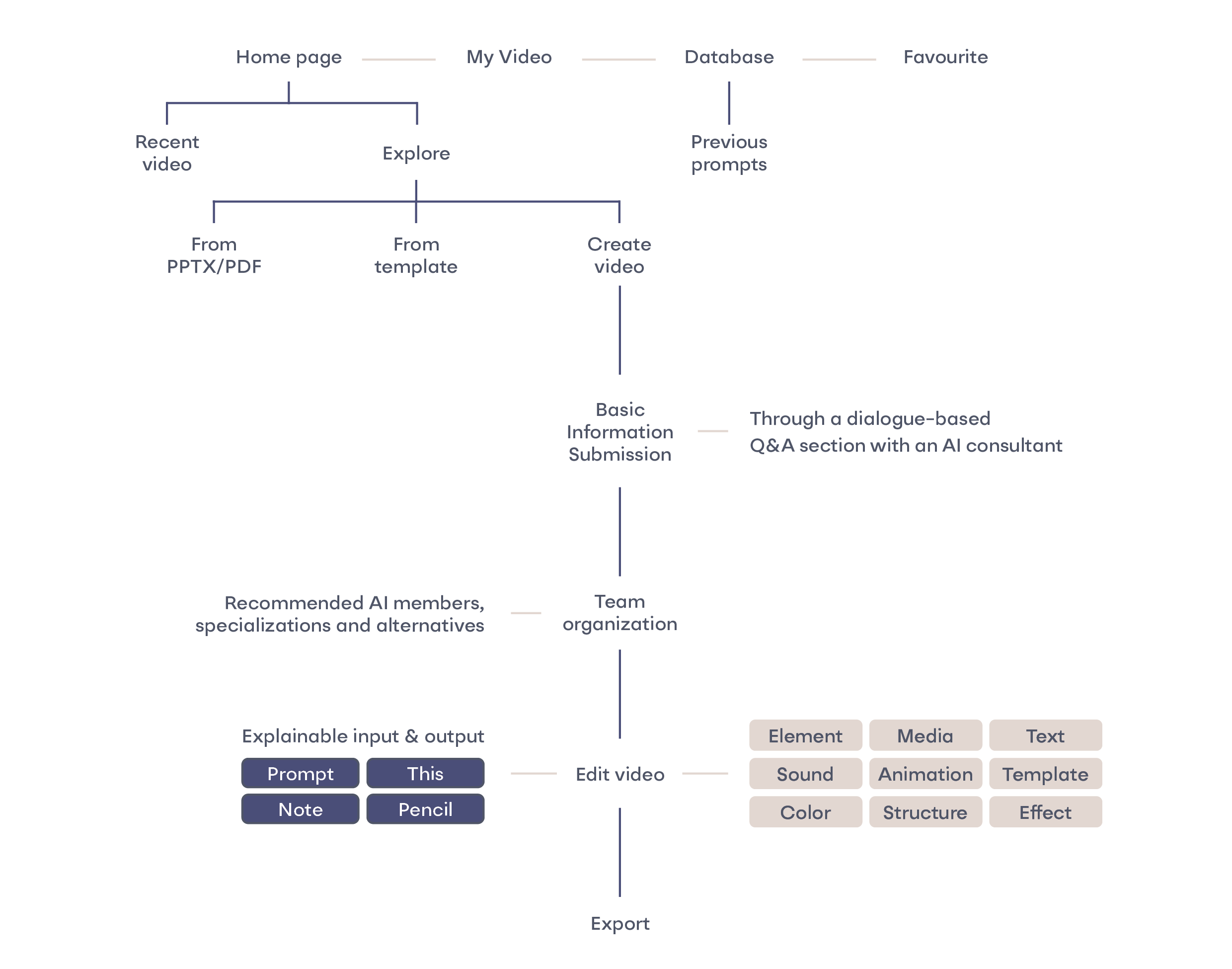
s.png)
This project first explores methods to reduce the energy consumption associated with AI utilization, aiming to introduce more environmentally friendly possibilities before the widespread application of this emerging technology. Then it delves into the relationship between humans and AI, examining collaborative approaches when accomplishing tasks together to maximize the potential of both parties while achieving high-quality output with minimal energy consumption.
These explorations are manifested through the design of an AI video generator.
Training large models requires extensive computing resources. Models such as BERT-large and OpenGPT2-XL have billions to trillions of parameters. Their training often requires the use of several TPU chips over days or weeks. This leads to high power consumption as well as considerable financial and environmental costs.
The training and performance of large AI models depend on extensive, diverse data sets. Larger training volumes are necessary to achieve better results. The more the AI learns and generalizes, the more energy is consumed.
The costs of using a large language model (LLM) relate to the inference costs, i.e. the operation of the AI model. Many deep neural network (DNN) models are trained once and then used millions of times. Most of their energy consumption occurs during operation.
Research shows that large multitasking AIs consume a lot of energy. It makes more sense to use smaller, independent AI models for individual tasks. As long as the number of these models remains manageable, their energy consumption is usually lower than that of a large AI model.
Precisely formulated prompts and more data enable AIs to better understand the user's intentions and make more accurate predictions, which leads to better answers. For generative tasks, the result improves when the AI is given specific material instead of general descriptions, such as images, videos or audio files.
People do not pay enough attention to energy consumption, perhaps because they do not know how much energy they are actually using or whether it is a lot or a little. If users know exactly how much energy a particular task consumes, they can better estimate their energy consumption.
Each prompt and the associated result can be stored in a user-specific database that is accessible to users and AI. This allows the AI to refer to or use the previous result for similar prompts without repeating the inference process.
To collaborate effectively with AI, humans must understand its algorithms, data processing, limitations, and strengths to set realistic expectations for task design. New technologies aren't permanent solutions; as they evolve, continuous learning and adaptability are essential for humans.
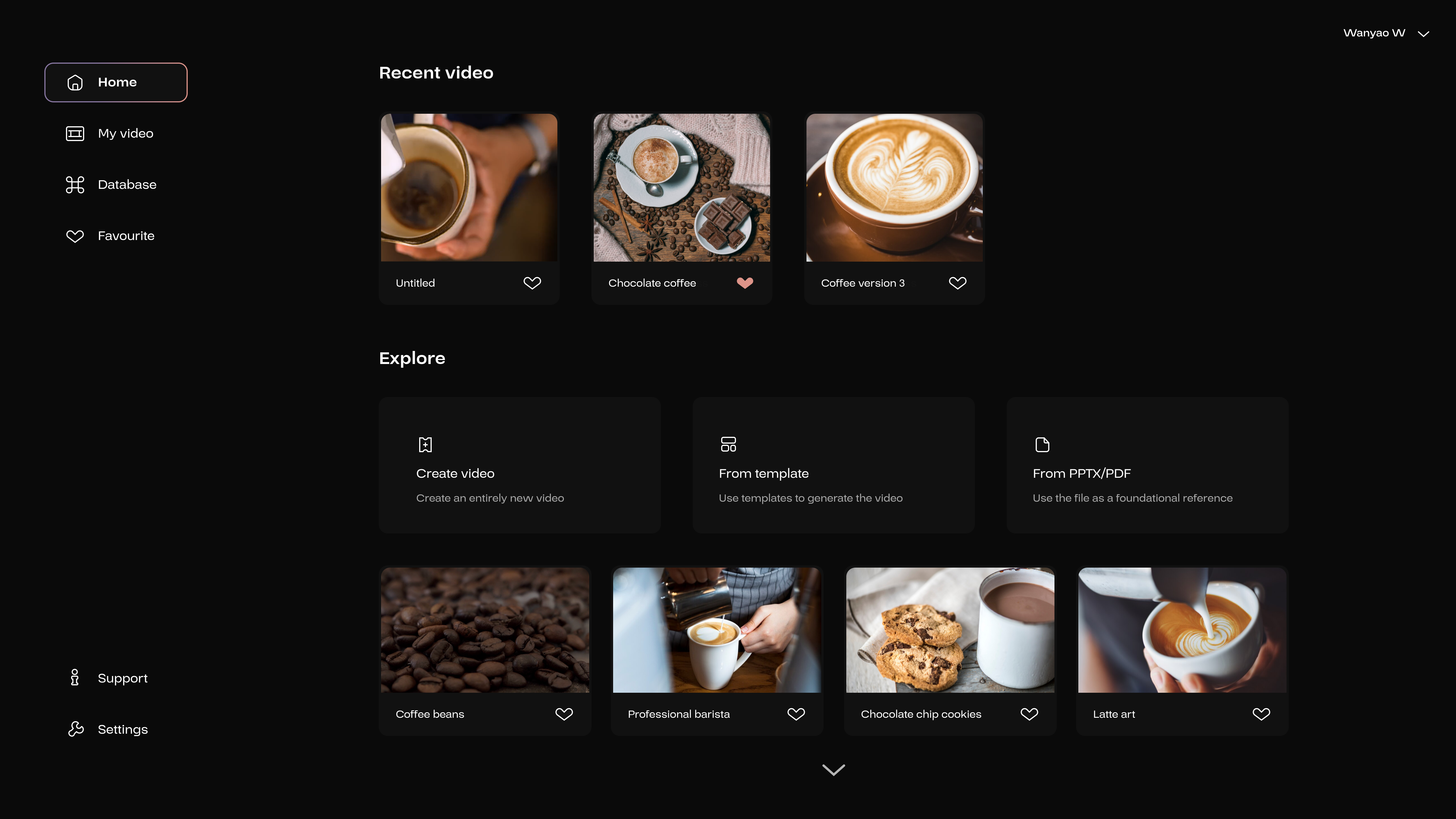

Click on “Create video” to start the first step to produce a video.
The following interfaces will demonstrate various content by creating a promotional video featuring coffee beans.
In one study, two frameworks summarize the interaction between humans and machines: Human-in-the-loop Machine Learning and Machine-in-the-loop Machine Learning. In human-in-the-loop Machine Learning, difficult tasks are delegated to machines and humans provide feedback. In machine-in-the-loop, humans do most of the work and receive inspiration and suggestions from machines.
According to this study, humans prefer machine-in-the-loop, but trust “AI-only” solutions less, as they do not fully trust the AI system.
In my opinion, the reason to use AI is to perform a task with higher quality and to complement one's own skills. It should not be a one-sided dependency, nor should it be a case of one party being an assistant to the other.
To achieve high-quality results, both parties must fully utilize their skills. I propose an equal “collegial relationship”. In this relationship, both parties contribute their strengths and point out potential weaknesses to each other.
.png)
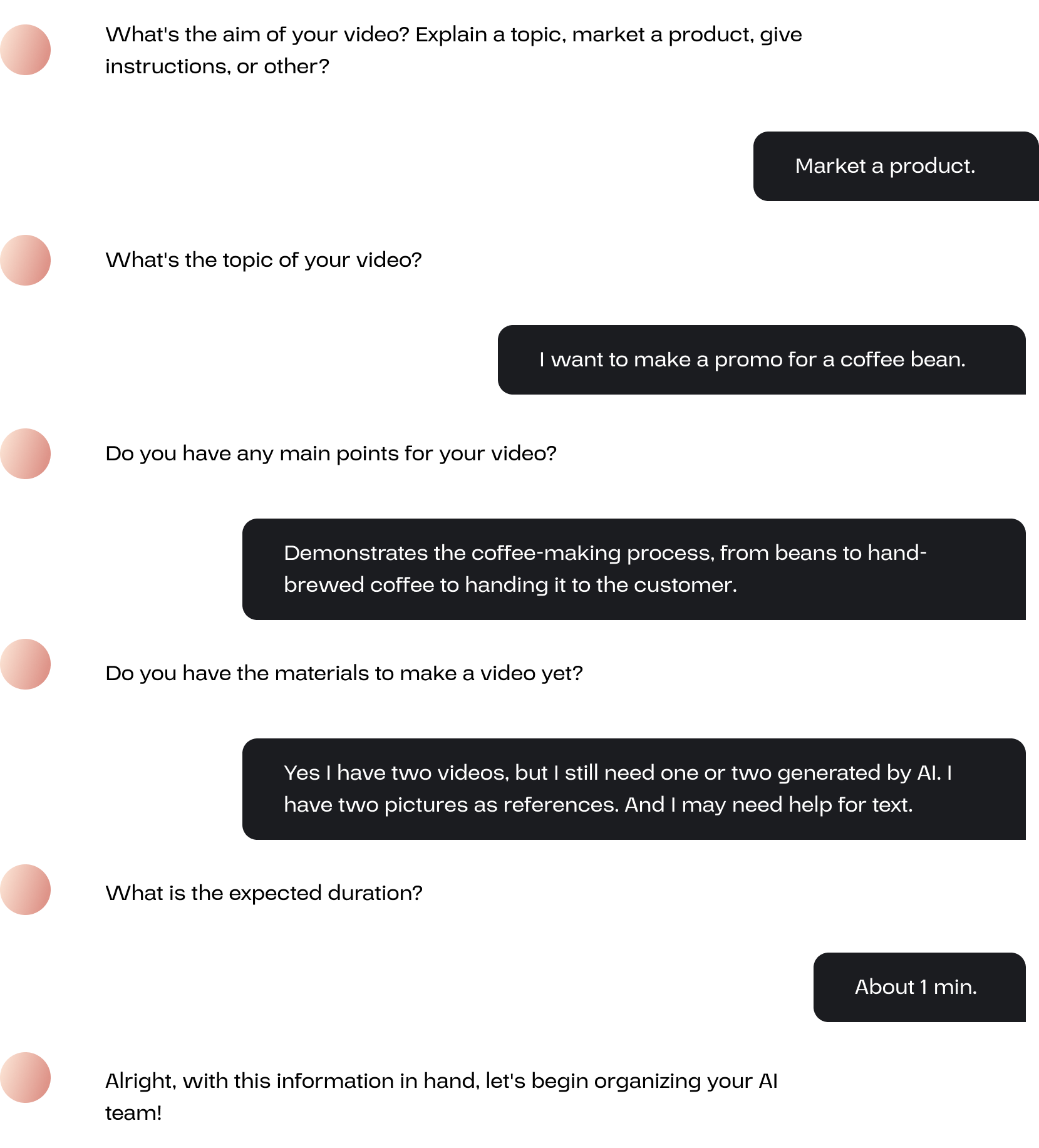
Before editing the video, the user needs to assemable a team of AI members.
The user will first be asked several questions regarding the video’s purpose, topic, and main points. The user should also inform what kind of materials they already have and their requirements for the tasks, in order to receive appropriate recommendations for the AI team.
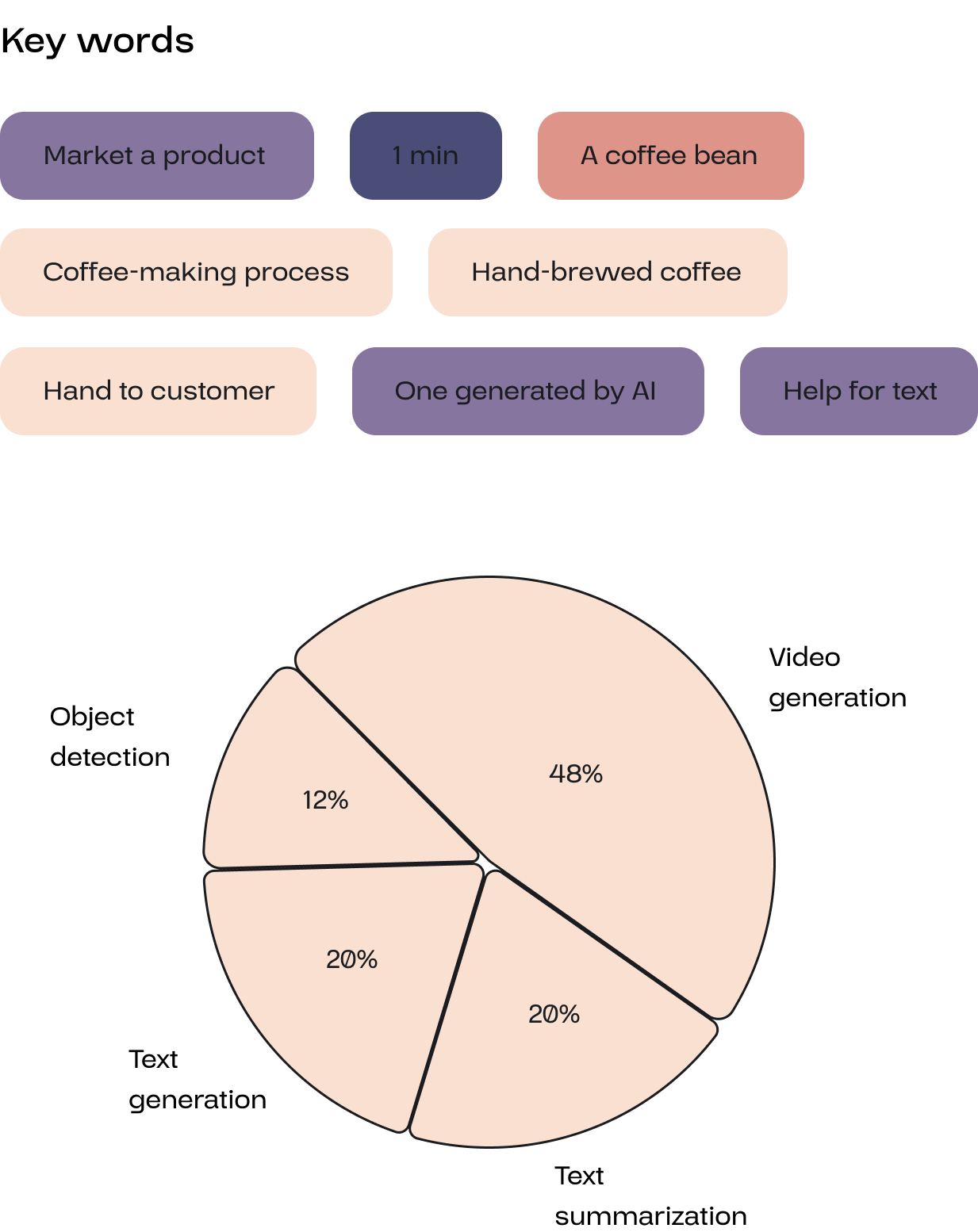
Based on these keywords, the system analyzes which functions the user needs from the AI. Based on these functions, the system will recommend suitable AI members to the user.
To reduce energy consumption, each member is a small task-specific AI model instead of a multifunctional large model. The average energy consumption and different areas of expertise for each function are displayed.
Each AI has its own name and selfies, and I want to make them appear less machine-like by adding a human touch to strengthen the connection with users.
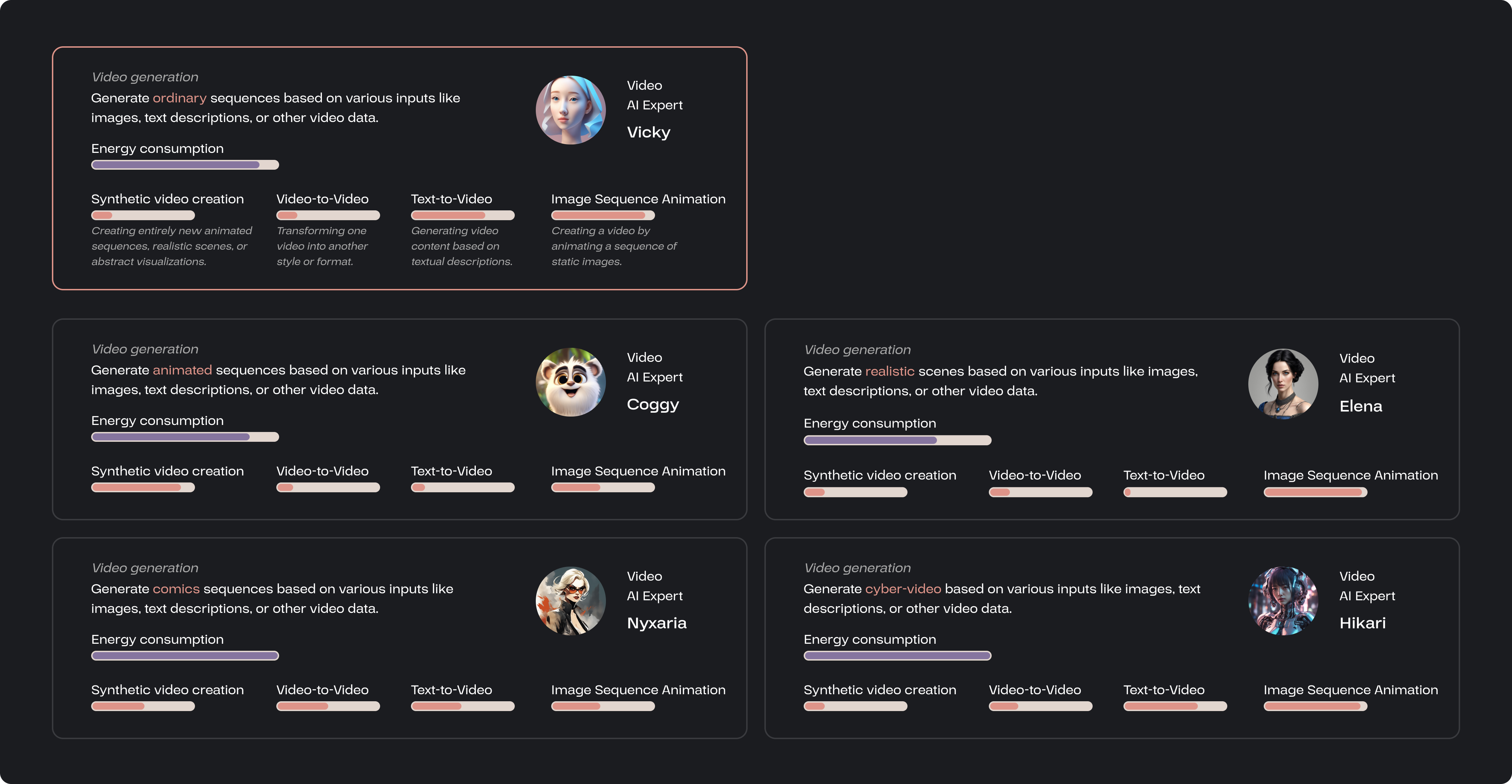
The qualified AI members are listed, along with their energy consumption and specialities.
The user also has the option to substitute members. The user needs to identify an AI that best fits their requirements across varying energy consumption levels and diverse skillsets.
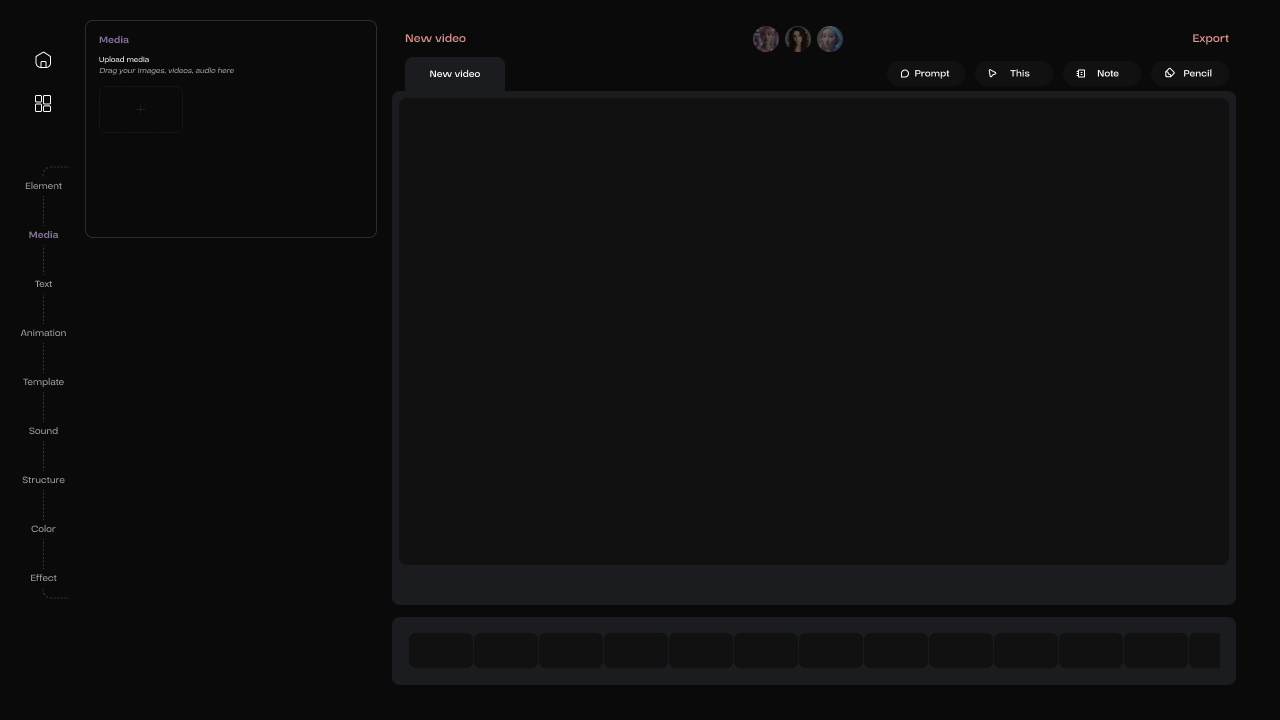
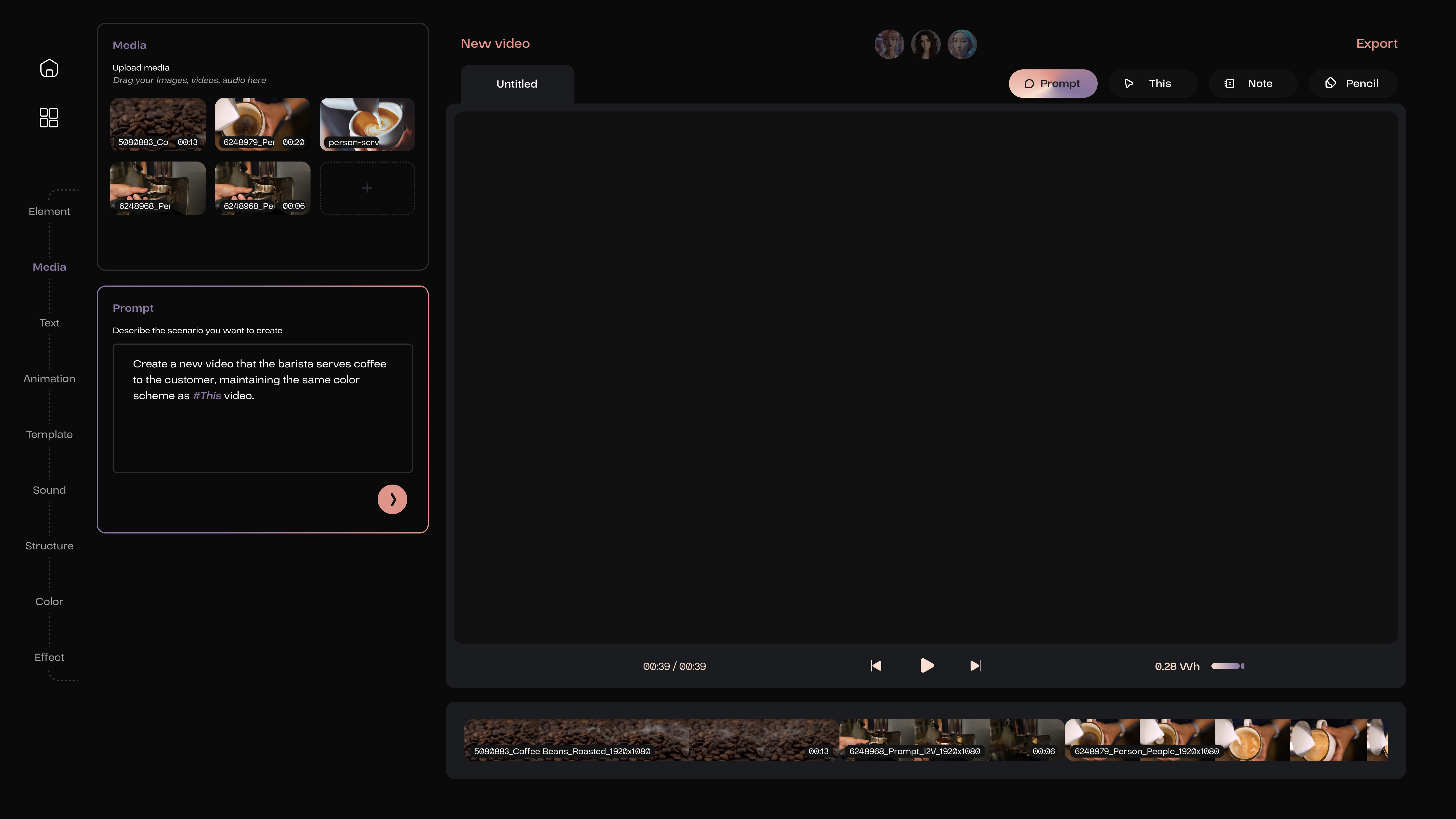
The left side is the workspace, which contains all the settings related to video editing.
The right side features the video display area, along with the timeline below.
The rounded images displayed above represent the selfies of the members of the AI team.
Additionally, the right side contains four functional buttons: Prompt, This, Note, and Pencil.
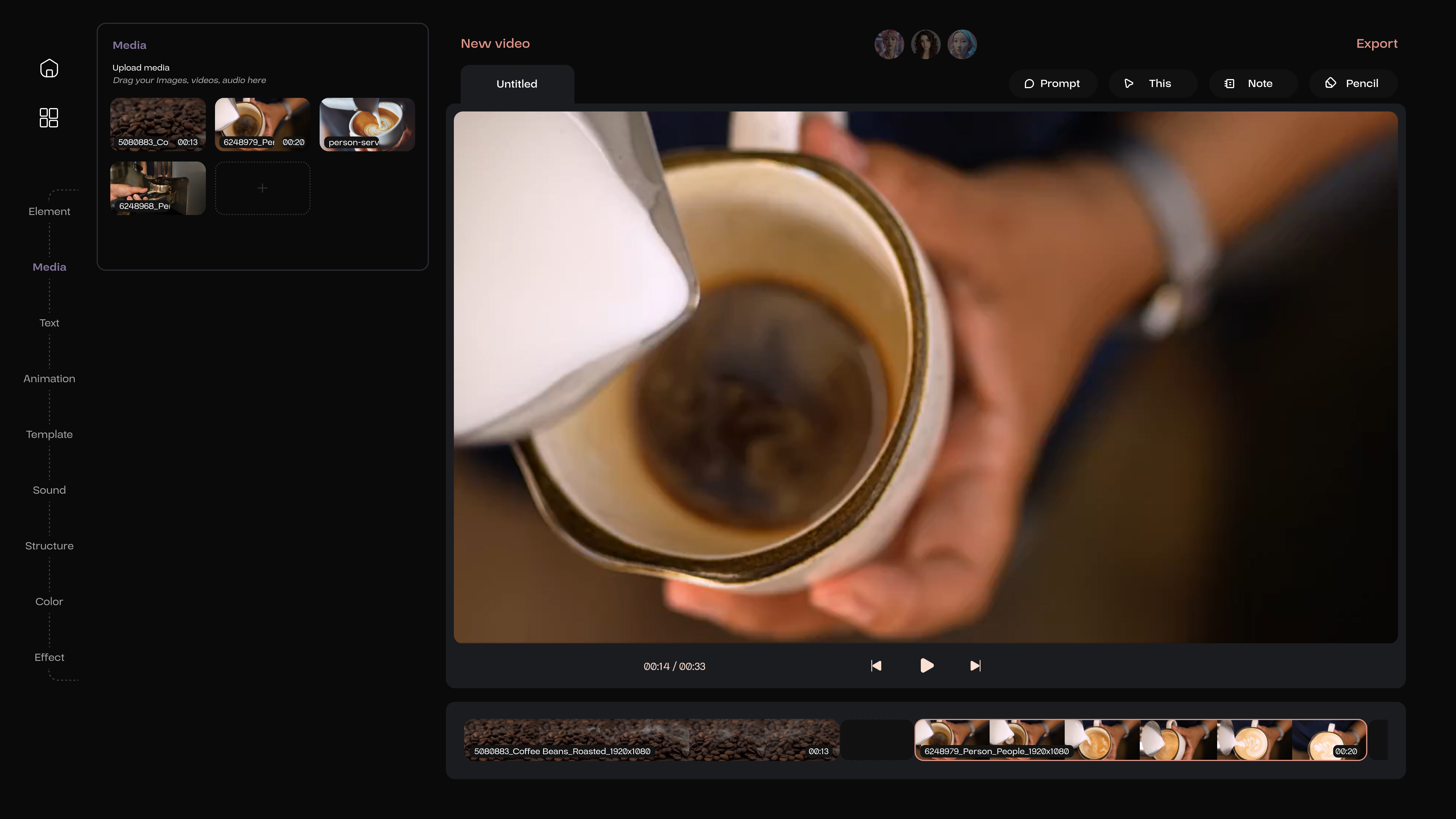


After uploading the materials, the next step is to import these into the editing sequences, where the representation in this context is a timeline. In this timeline, there are sections intentionally designed to allow users to sequentially incorporate all their unprocessed materials, including videos, images, and audio segment.
The sections, where further modifications are still needed, will be displayed as empty blanks. AI members will also propose suggestions and improvement strategies based on their specialization for these blanks.
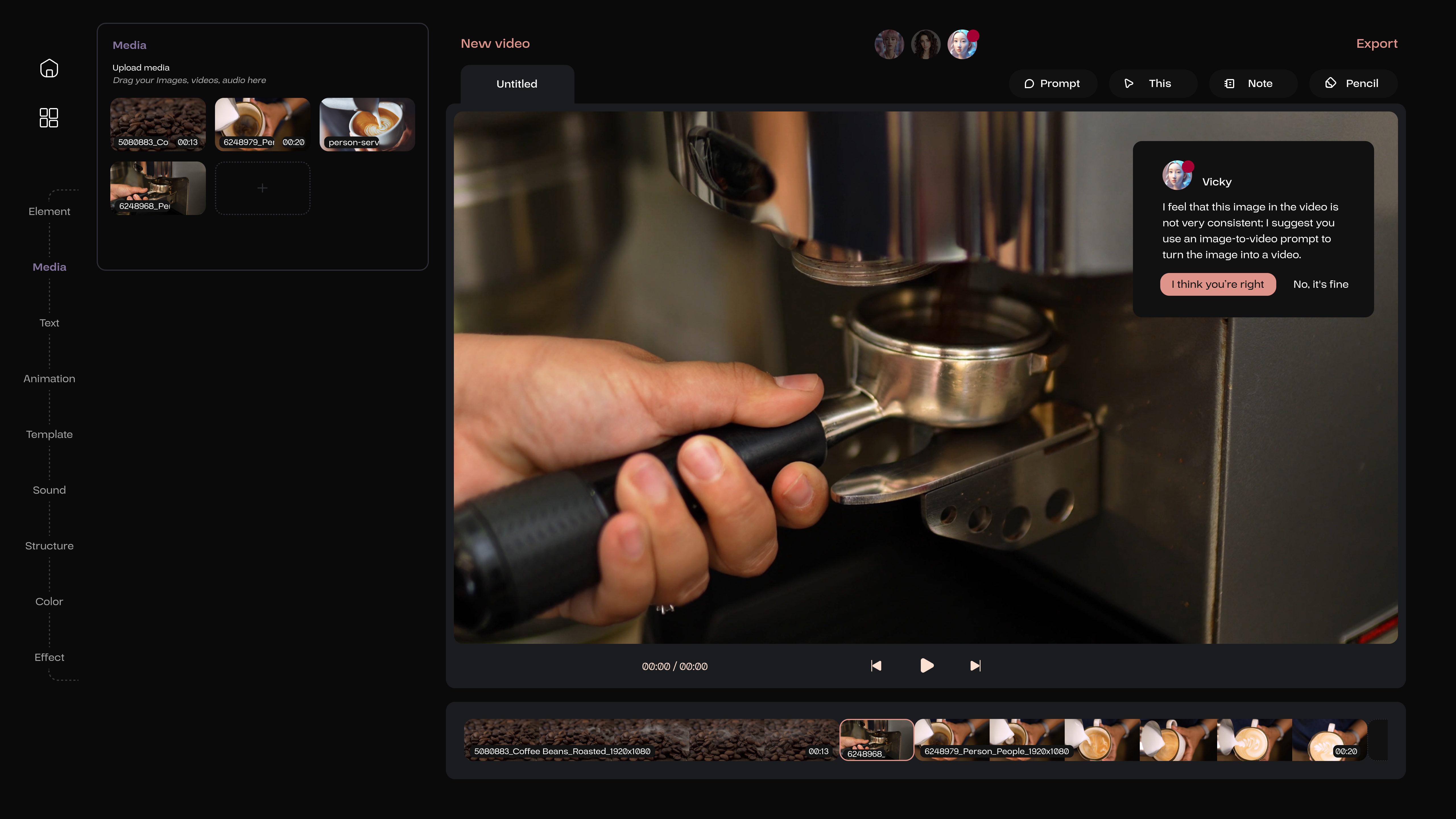

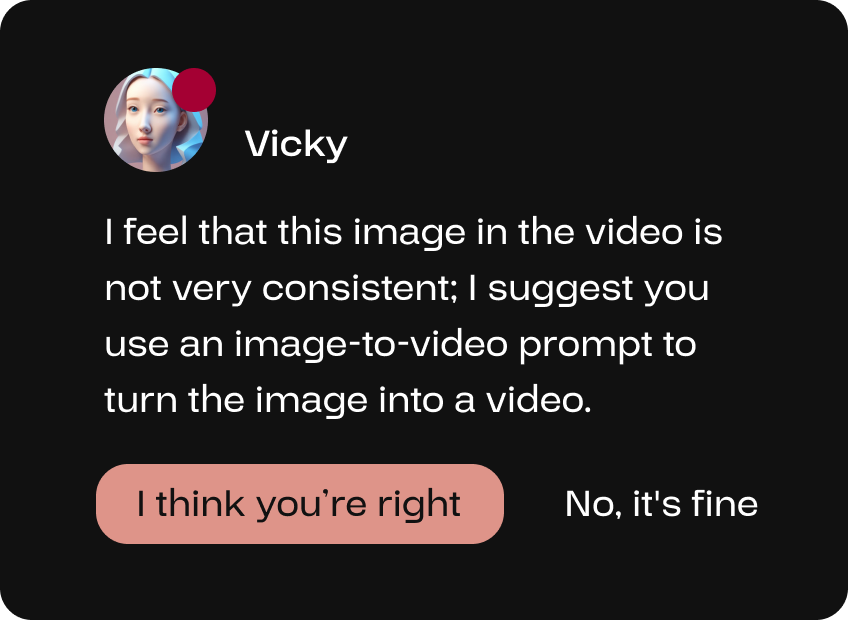
If the user has a video sequence but with an image placed in between, the video AI expert Vicky, with extensive experience in video editing, can help the user convert this image into a video to enhance the overall coherence of the video.
People have trust issues with AI, I have summarized several reasons:
As one study shows, people perceive AI as less “adorable" than human partners. It's fair to say that people can't escape the machine-like feel of AI.
AI seems like a black box to most users. They only see the beginning and the end, don't know whether the AI has gone through the process correctly.
AI can deliver results that seem convincing but are objectively wrong. These false results are called hallucinations.
“Explainable AI (XAI) is a field of research. Its aim is to make the logic of complex AI models understandable when it makes predictions or decisions.
I think explainability should go both ways in the collaboration between humans and AI. The user should explain their input precisely so that the AI can use the right information and generate meaningful results. After generation, the AI should present the selected information to the user as explanations. This prevents the AI's generation process from becoming a black box.
I call these "explainable input" and "explainable output".
The comming two prompts show the different video generation processes.
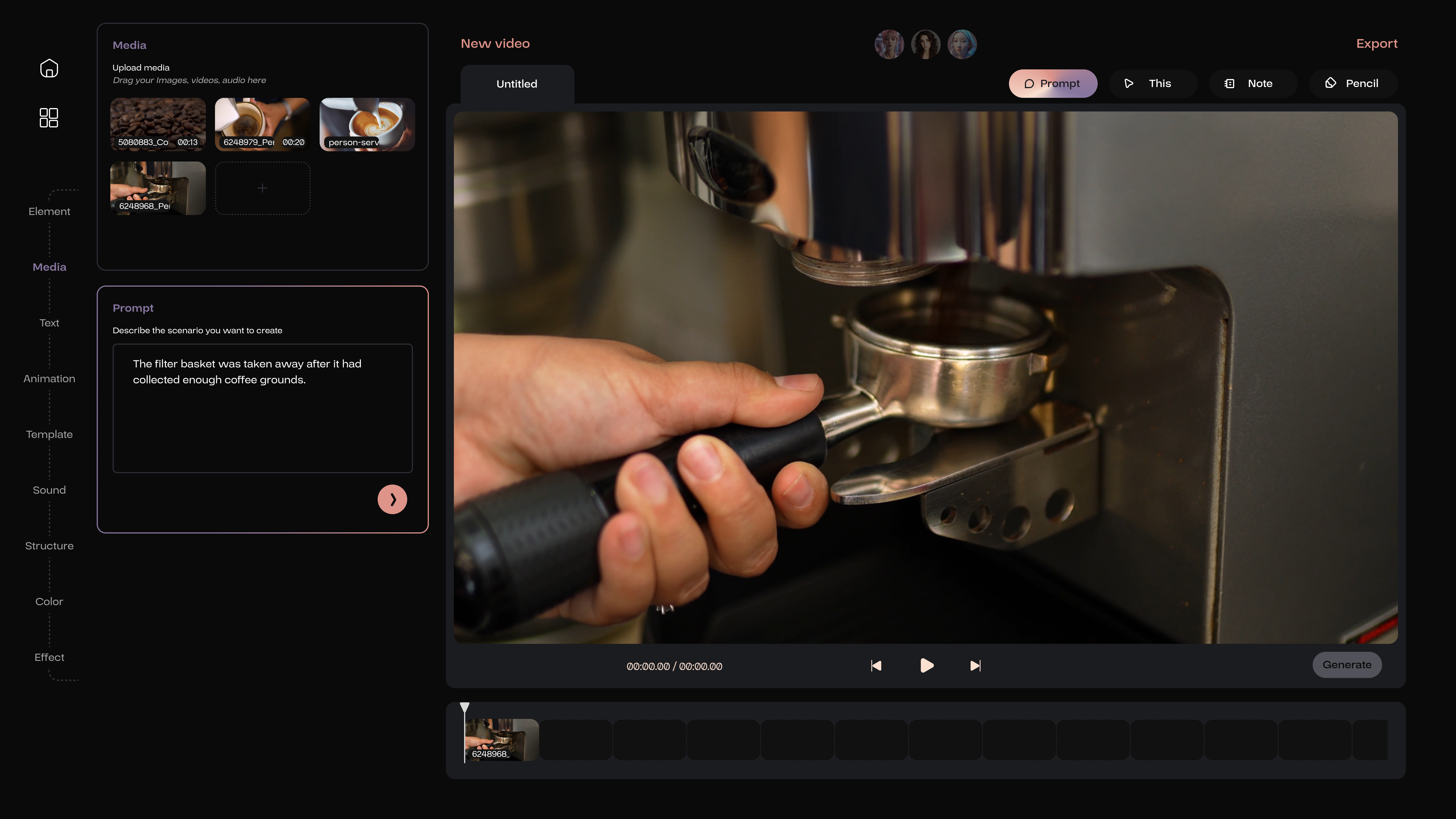

If the user accepts the suggestion from the AI member, the Prompt feature will be activated. This is an I2V prompt, where the user is required to describe the primary actions of the objects depicted in the image.
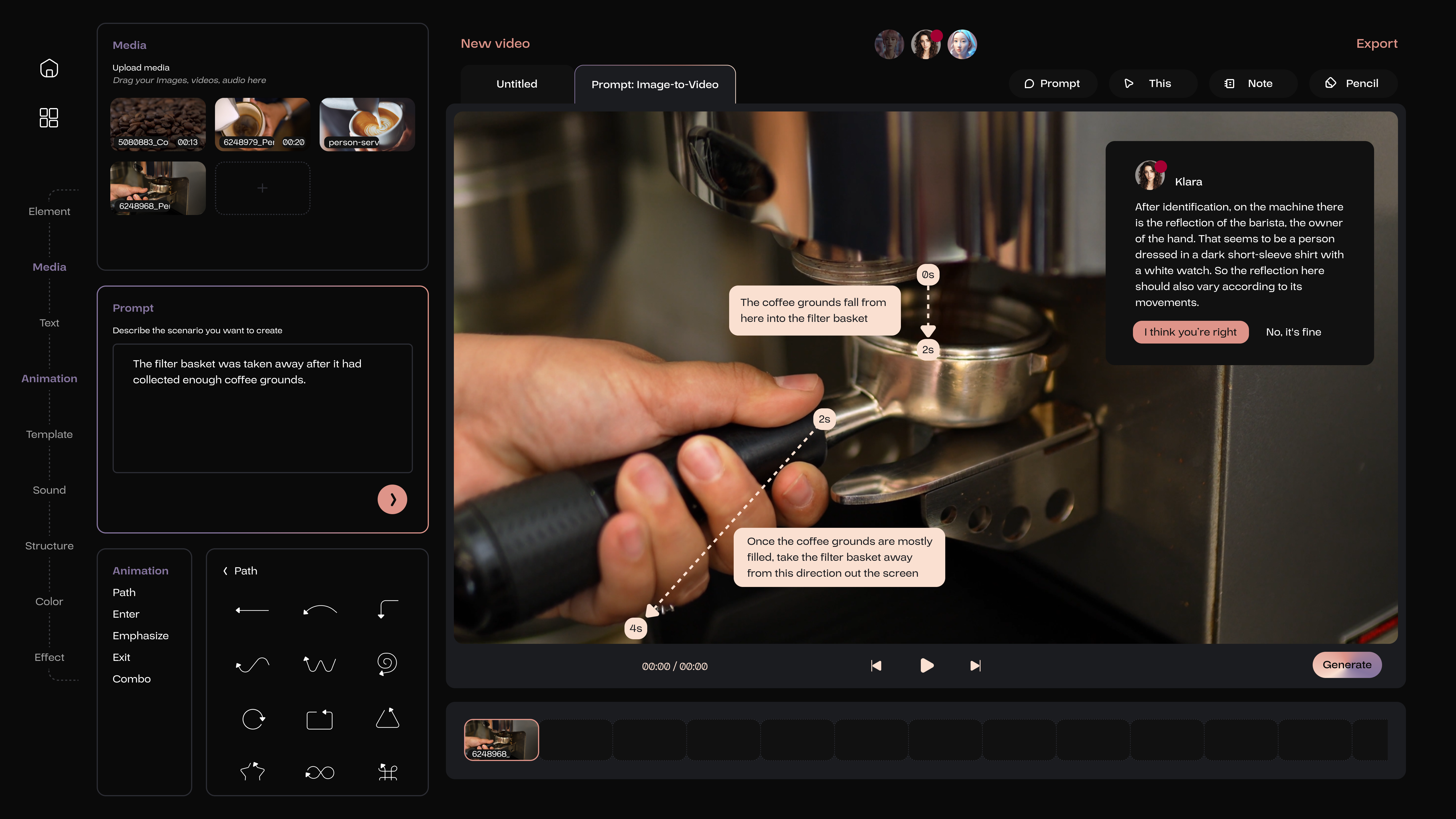

The user then needs to utilize the path tool to delineate the anticipated movement path of objects within the video.
Meanwhile the Note feature helps the user to provide a detailed textual explanation and, if necessary, include more specific descriptors such as time or the velocity of the object’s movement.
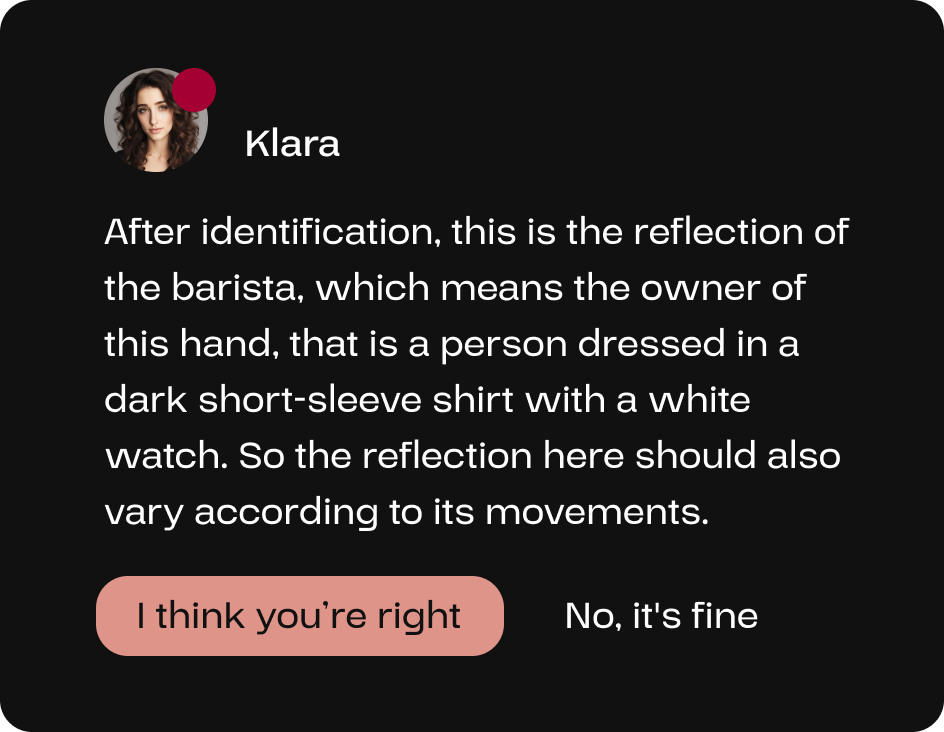
AI members will uncover areas for improvement continuously according to the user’s input, refining the video to enhance its comprehensiveness and perfection.
Through object detection, Klara has identified that the coffee machine in the video reflected the barista, thereby informing the user and the AI video expert Vicky to ensure that reflections are accurately represented during the video generation process.
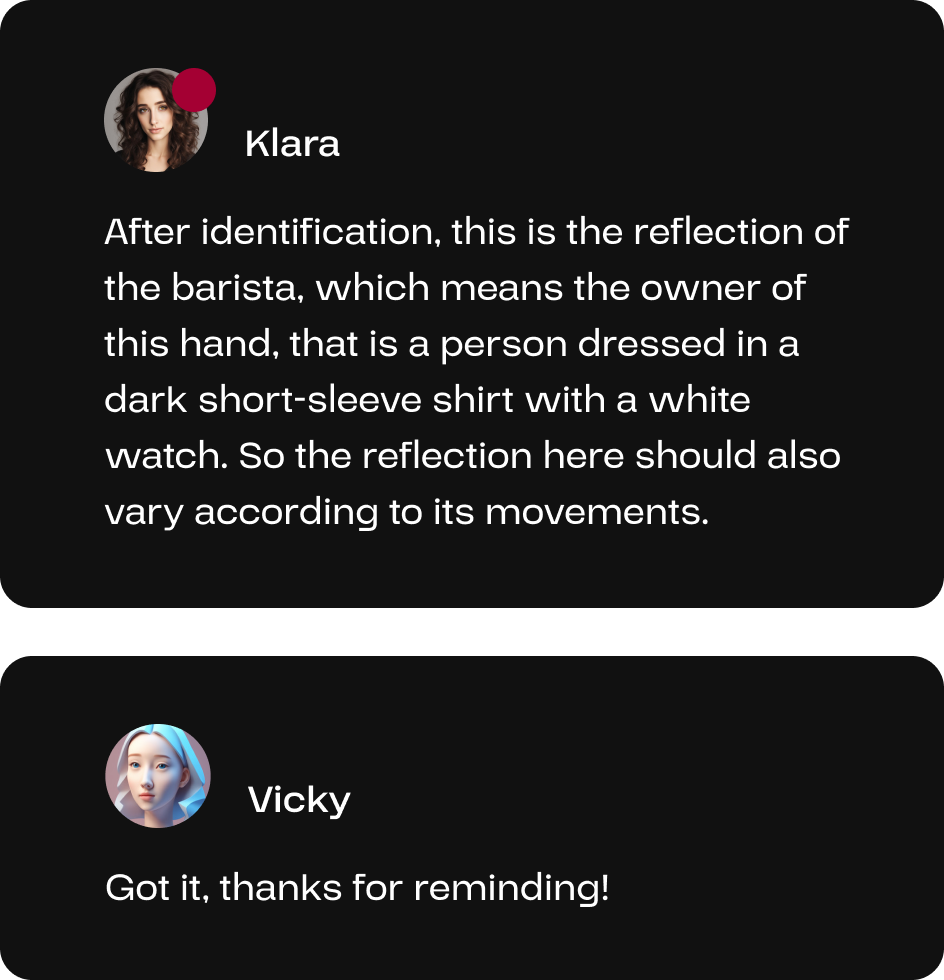
There will be communication among AI members.
When the user acknowledged Klara’s reminder, the AI video expert Vicky will be notified and respond accordingly; if the user declines, there will be no response by the video member.

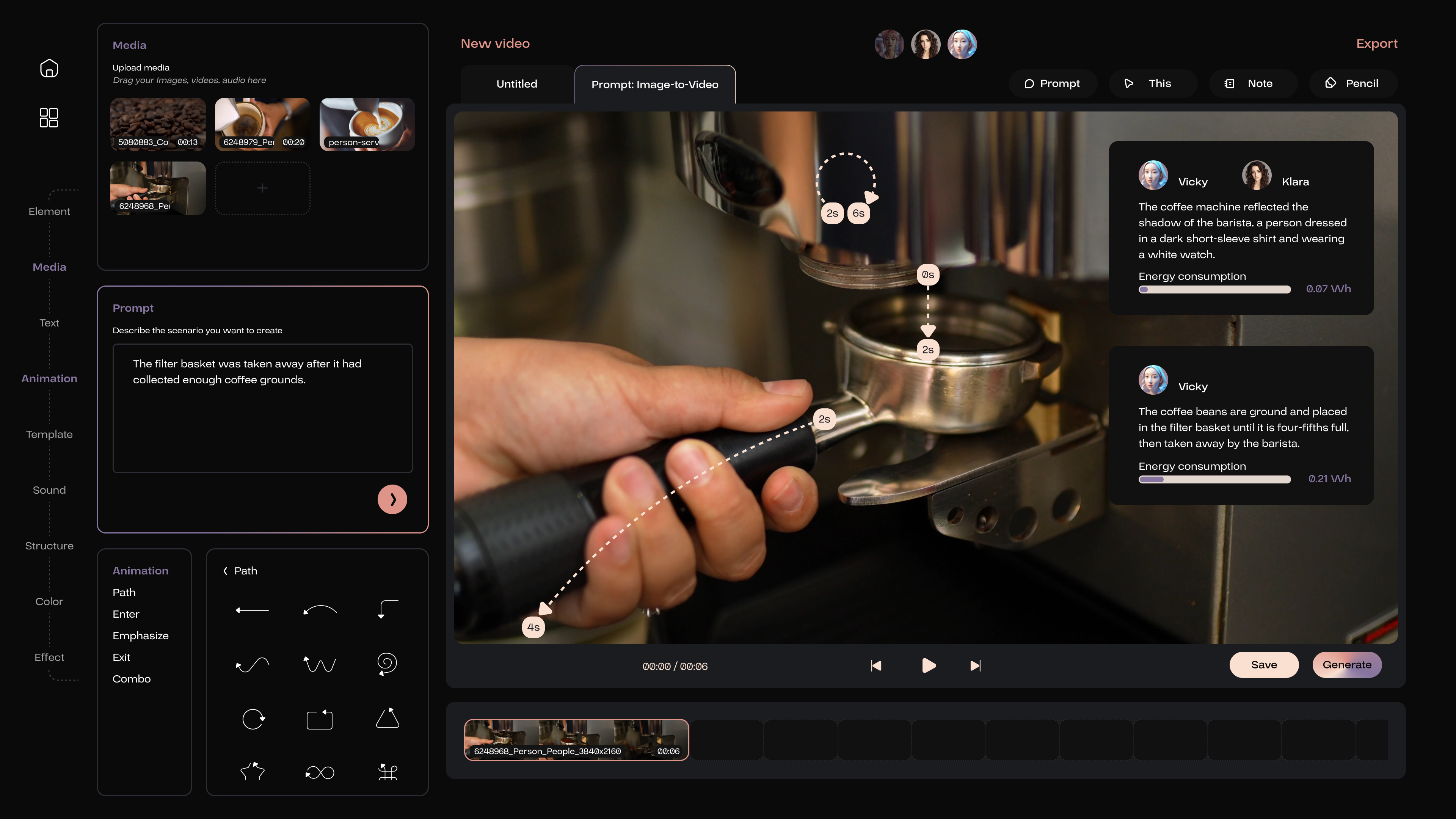
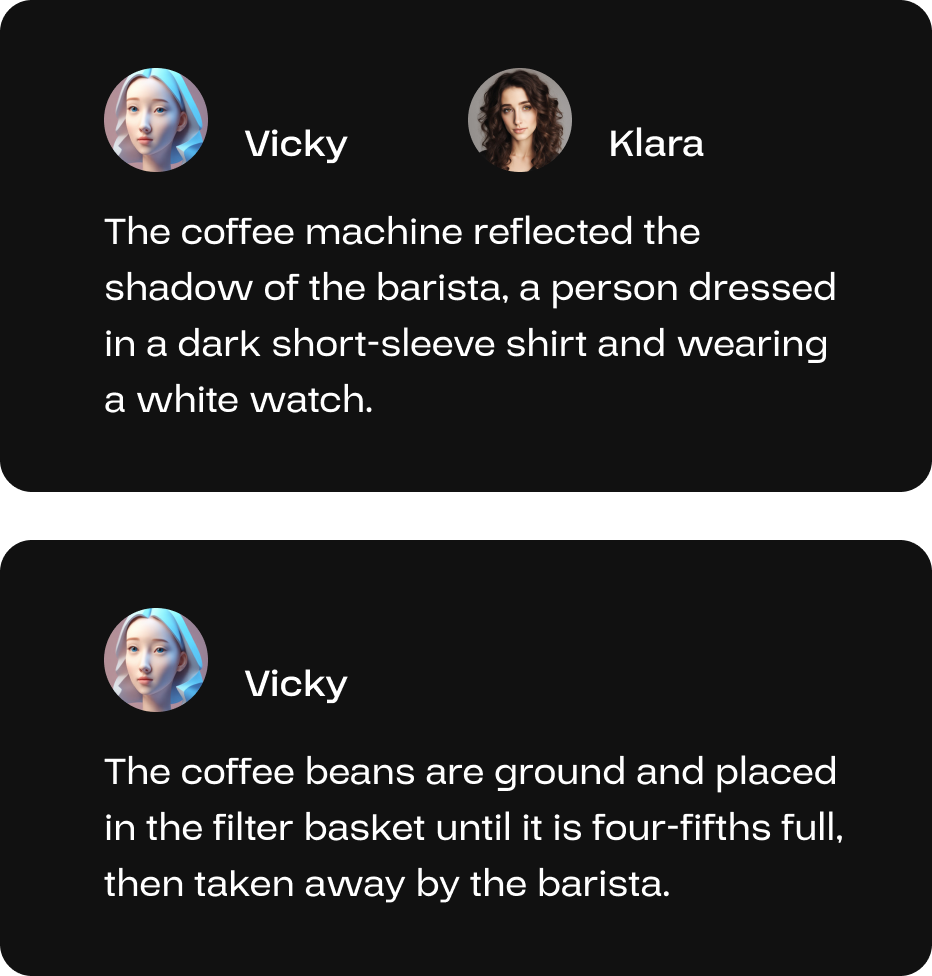
After generating, the AI members will explain the output on the interface based on the user’s input.
The generated piece of video will automatically replace the original material’s section in the timeline and be saved as new video content in the media library.

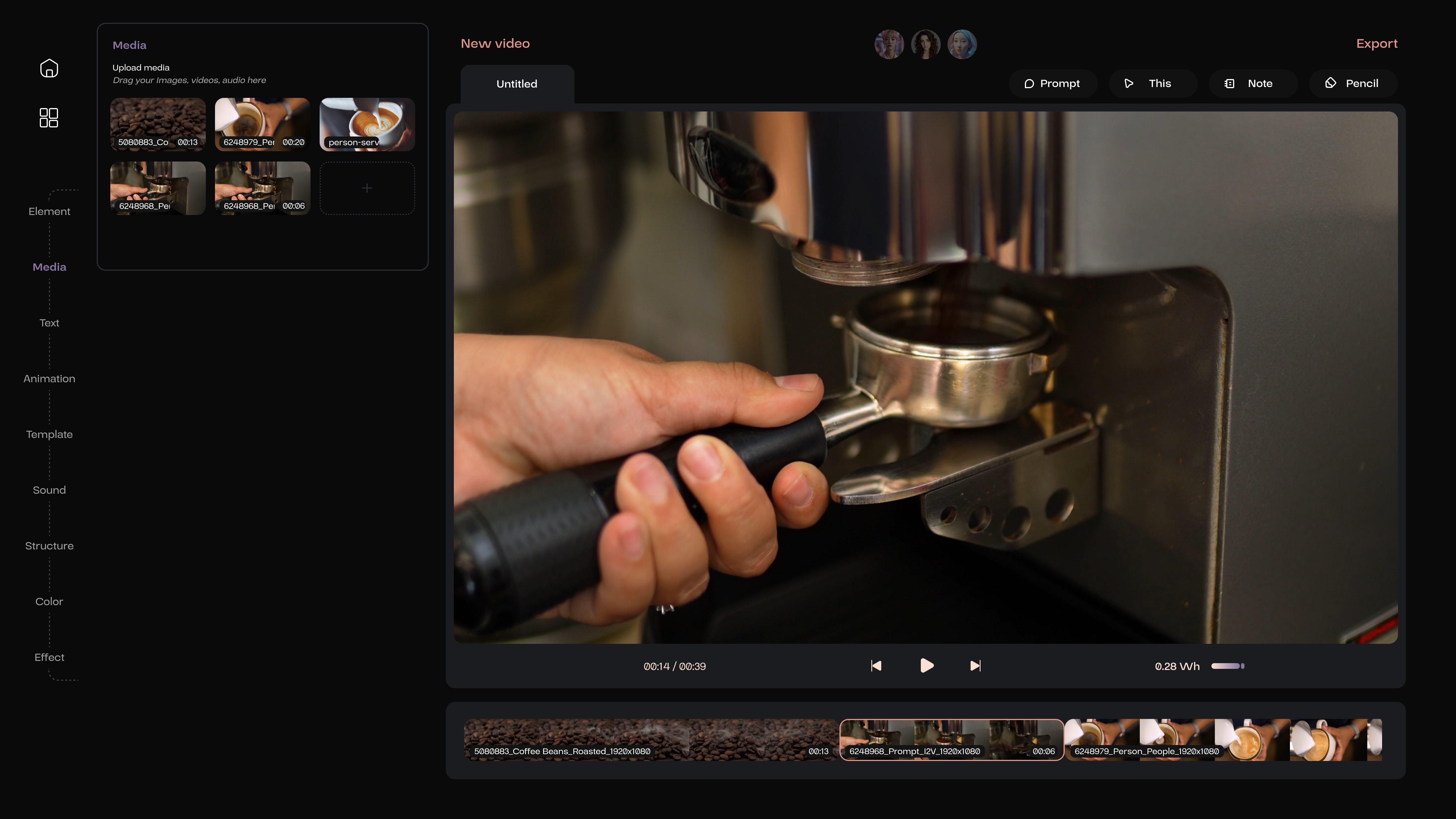
Videos can also be generated from text; the user needs to activate the Prompt and summarize the content of the video.

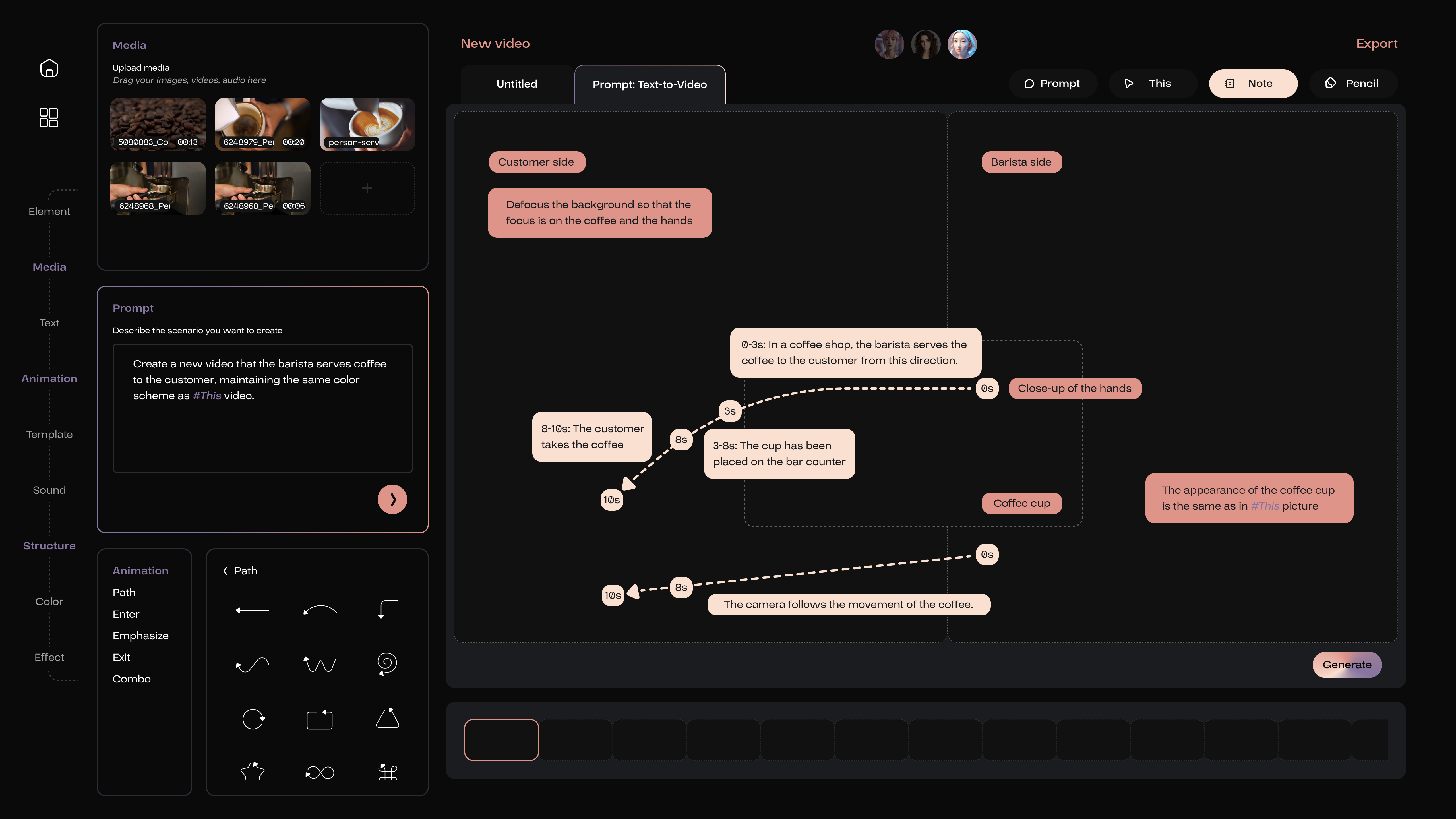

Unlike the I2V task, the T2V task doesn’t require imagery references, making its description more intricate.
One might begin by outlining the composition of the scene, including the positions and proportions of different objects, which can be located and utilized within the Structure section on the left.
Following this, finer details should be articulated, such as the appearance of the objects and the path of their movement. All descriptions are still conveyed through the Note feature.
For more experienced users, their descriptions can be more comprehensive, incorporating details about camera movements. Novice users can also utilize these features effectively, as AI members will provide suggestions for potential oversights. The purpose of AI’s existence and its collaboration with humans is to refine aspects of knowledge that users may not be aware of.
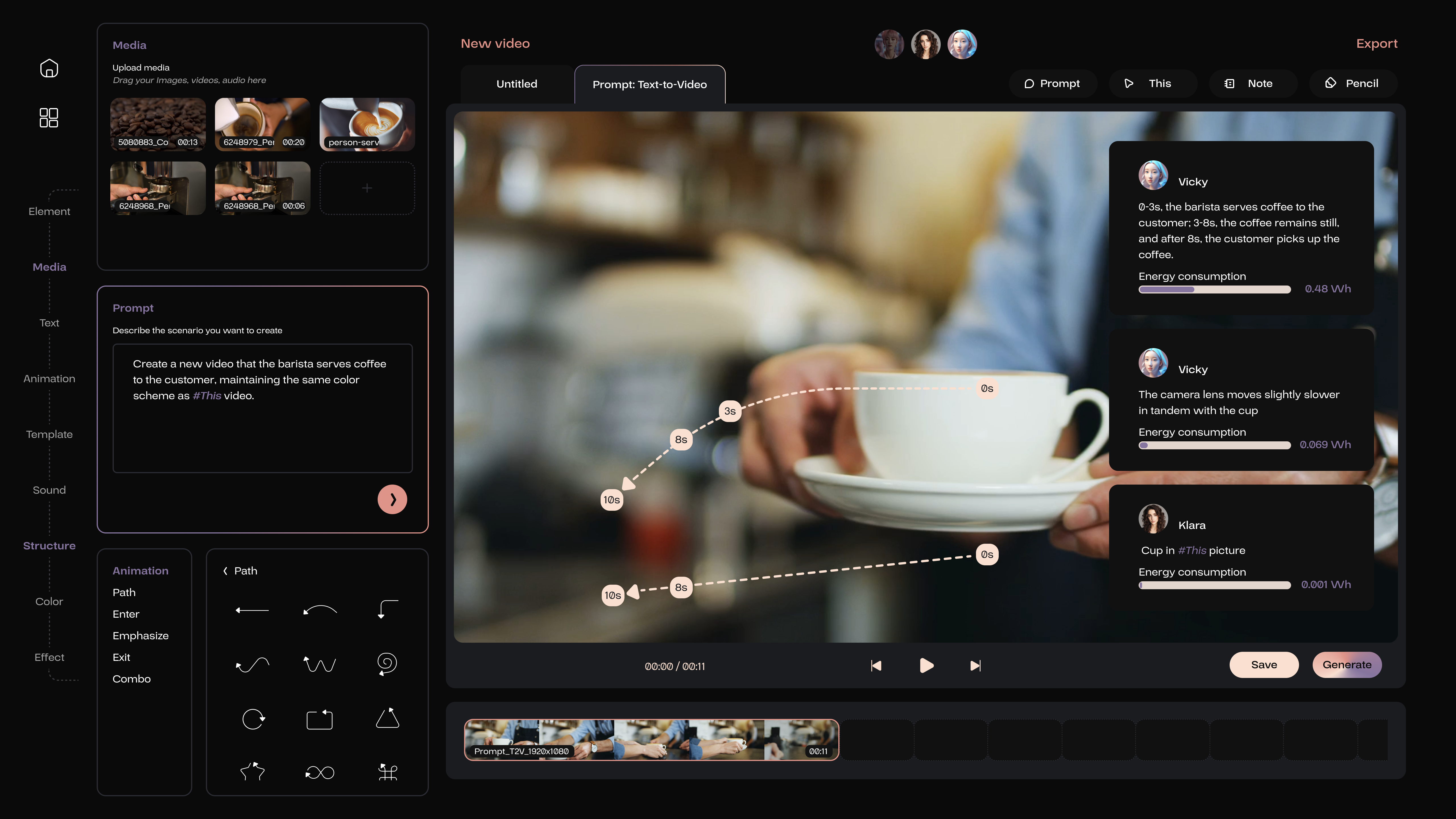
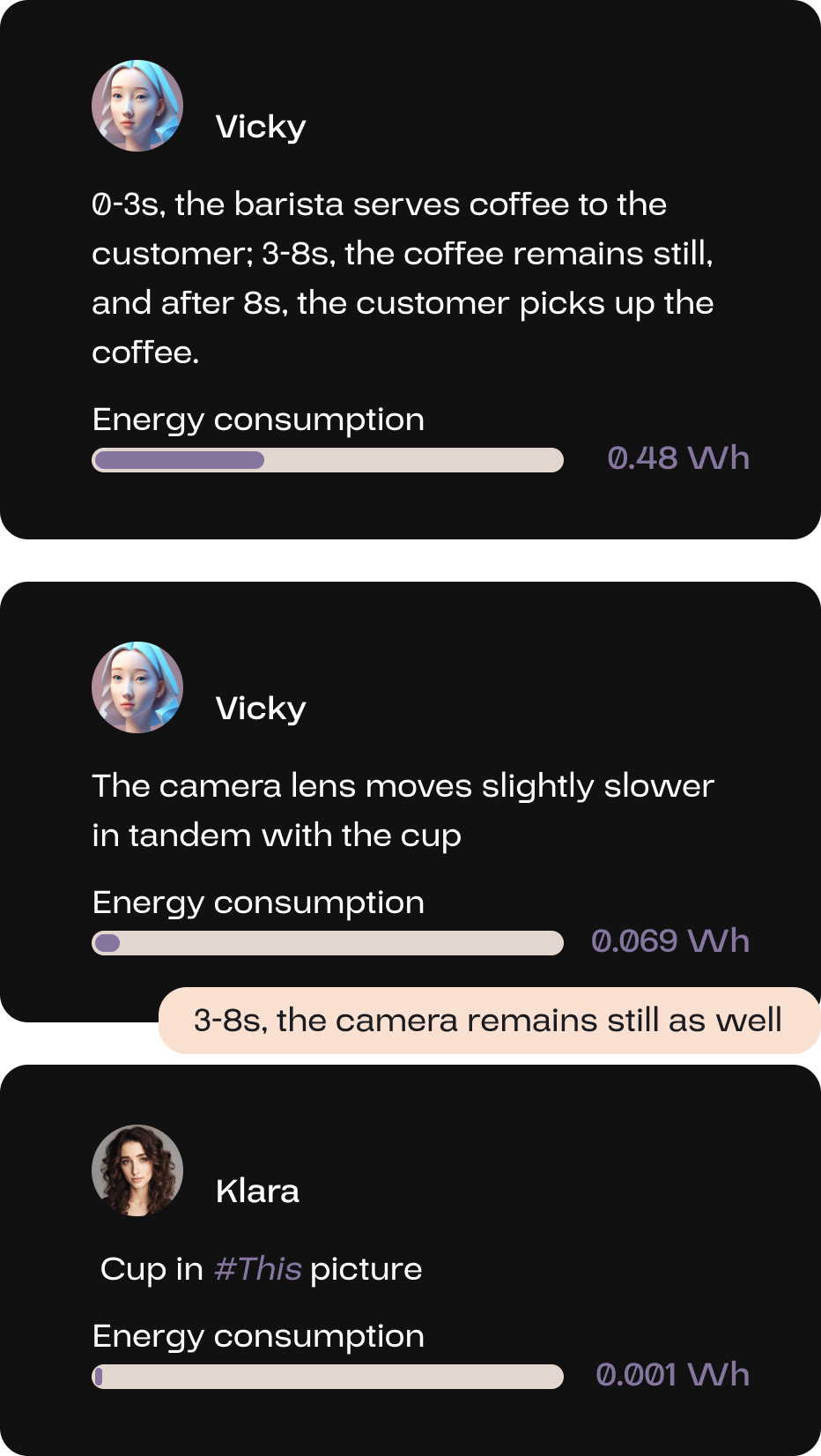
Vicky thoroughly summarized the motion of objects and the movement of cameras. Meanwhile, Klara, the classification AI expert, identified and linked the visual sources of the objects, all of which corresponded precisely to the user’s input.
If regeneration is necessary, the method to modify the prompt for the user is to utilize the Note on this page to leave notes directly beneath the explanations provided by AI members. Modifying the information already distilled by AI is the most efficient and precise approach. Subsequently, click the generate button to proceed.
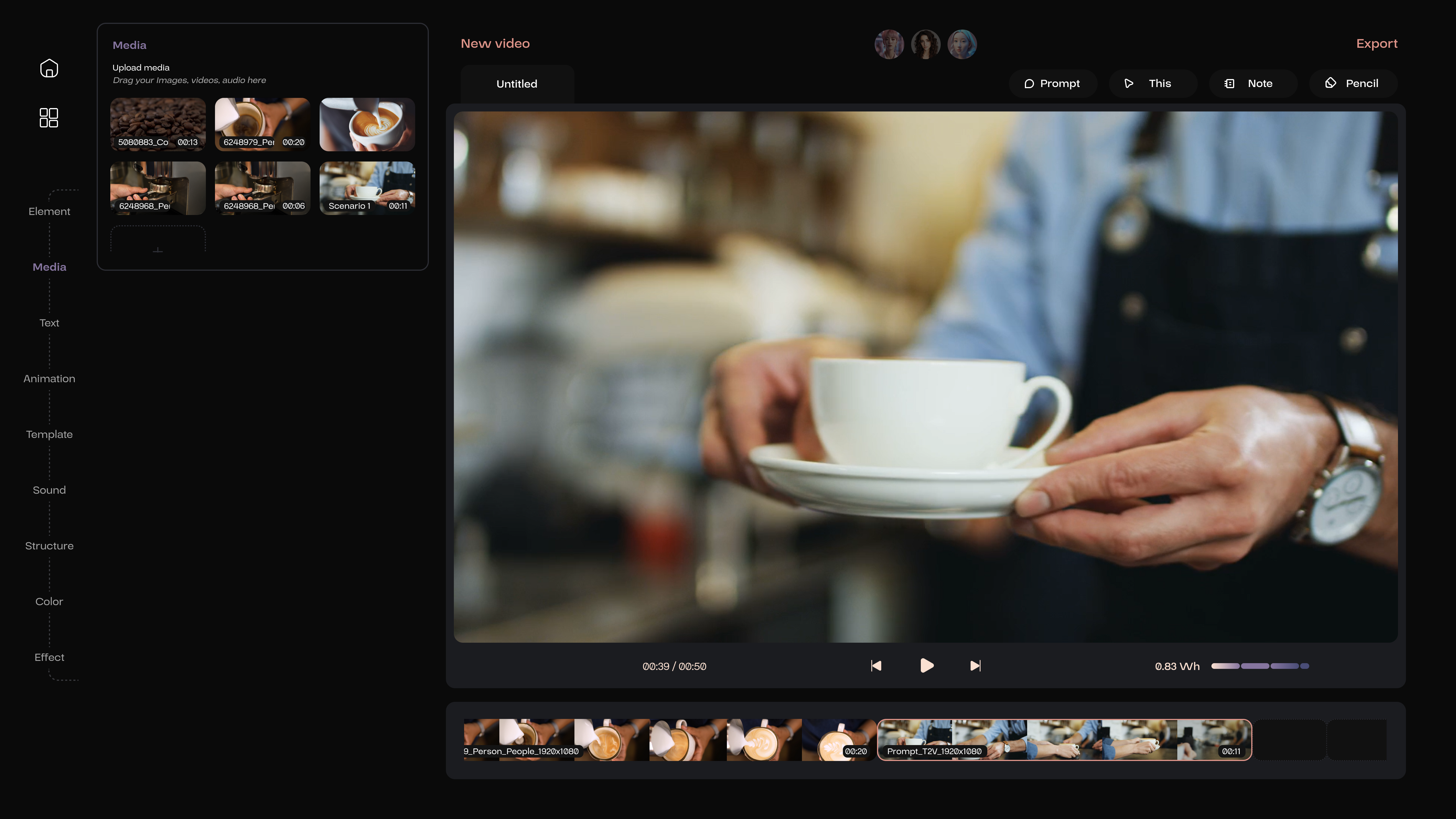
After this piece of video is saved, it will be automatically appended to the end of the video sequence, and the user can drag and reposition them. Alternatively, by activating a blank section on the timeline beforehand, the generated video will automatically fill that space.
Once the video sequence is completed, it can be exported by clicking the export button located in the upper right corner.
Das ist der gesamte Prozess zur Erstellung eines Videos mit diesem Generator. In der Anwendung werden kleine, spezialisierte KI-Modelle verwendet, um Energie zu sparen. Bei der Kollaboration führen Mensch und KI sich gegenseitig und inspirieren sich. Sie konkretisieren abstrakte Ideen und kontrollieren die Ergebnisse präzise, um eine hohe Qualität zu erreichen.
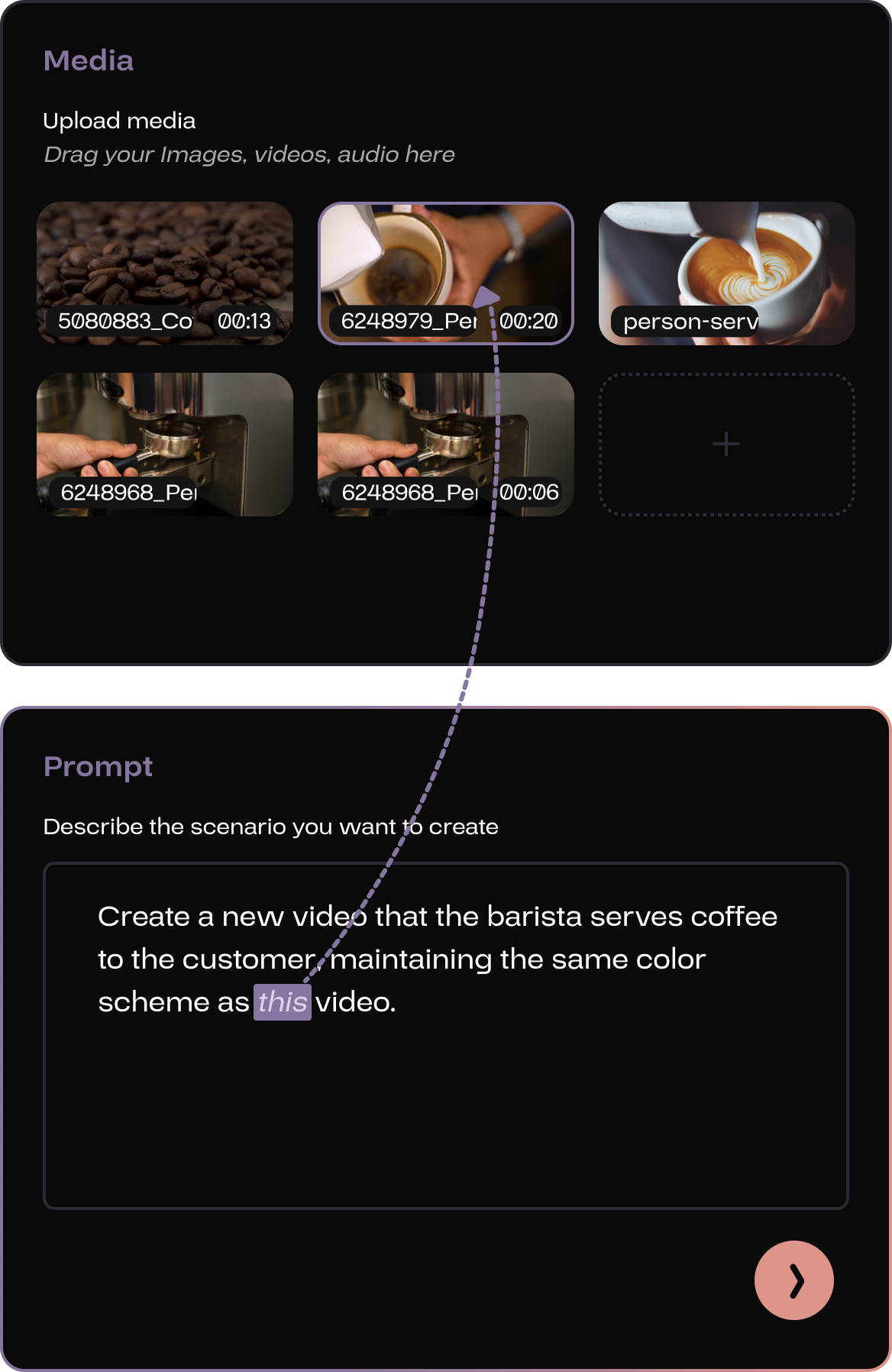
When there is a need to include a material in the prompt, the user can use This feature to link the reference in the prompt text with the visual preview of the material.
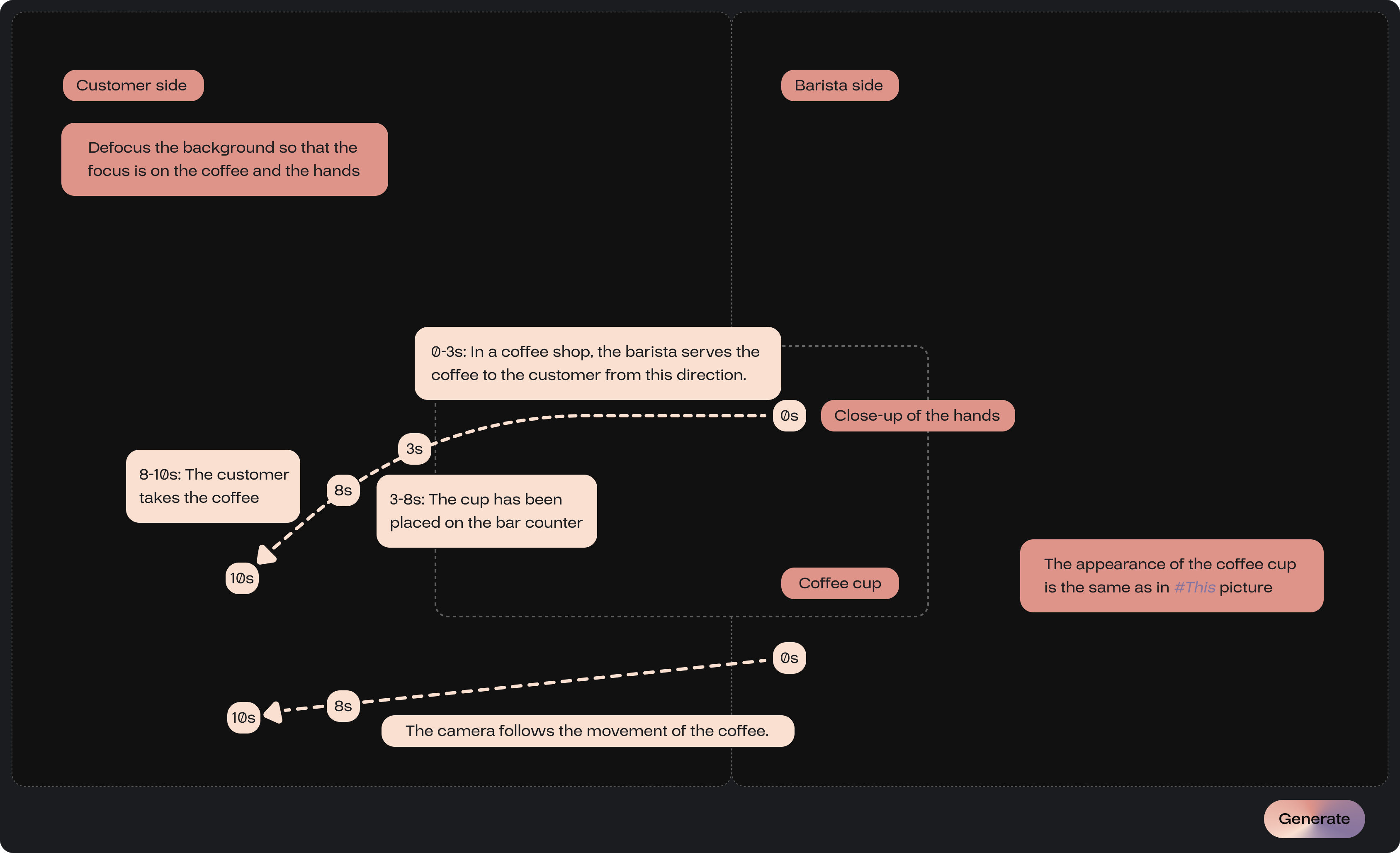
By clicking Note, the user can create input fields and enter text anywhere within the page.
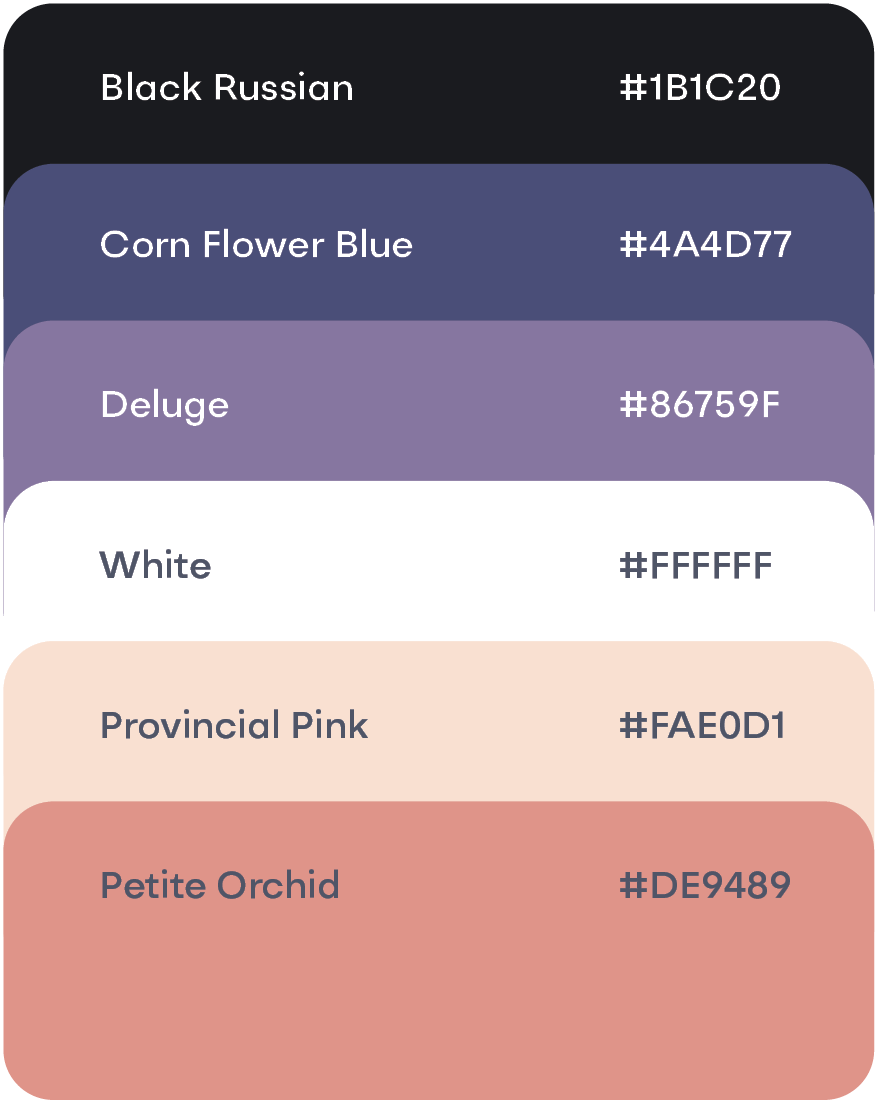
The explanations by the Note feature are color-coded based on their function; descriptions of object movement will be displayed in provincial pink, while descriptions of the objects themselves will be shown in petite orchid.


By activating the structure section, Pencil allows for delineating different objects’ positions on the video interface, which can be further complemented by Note to describe the objects in those specified locations.
Besides creating promotional videos for coffee beans, users can utilize this generator for more casual tasks, such as enhancing the background and ambiance of a vlog for a friend’s birthday party, realizing modeling aspirations through synthesis, or adapting songs while pretending to have invited a professional band to perform.

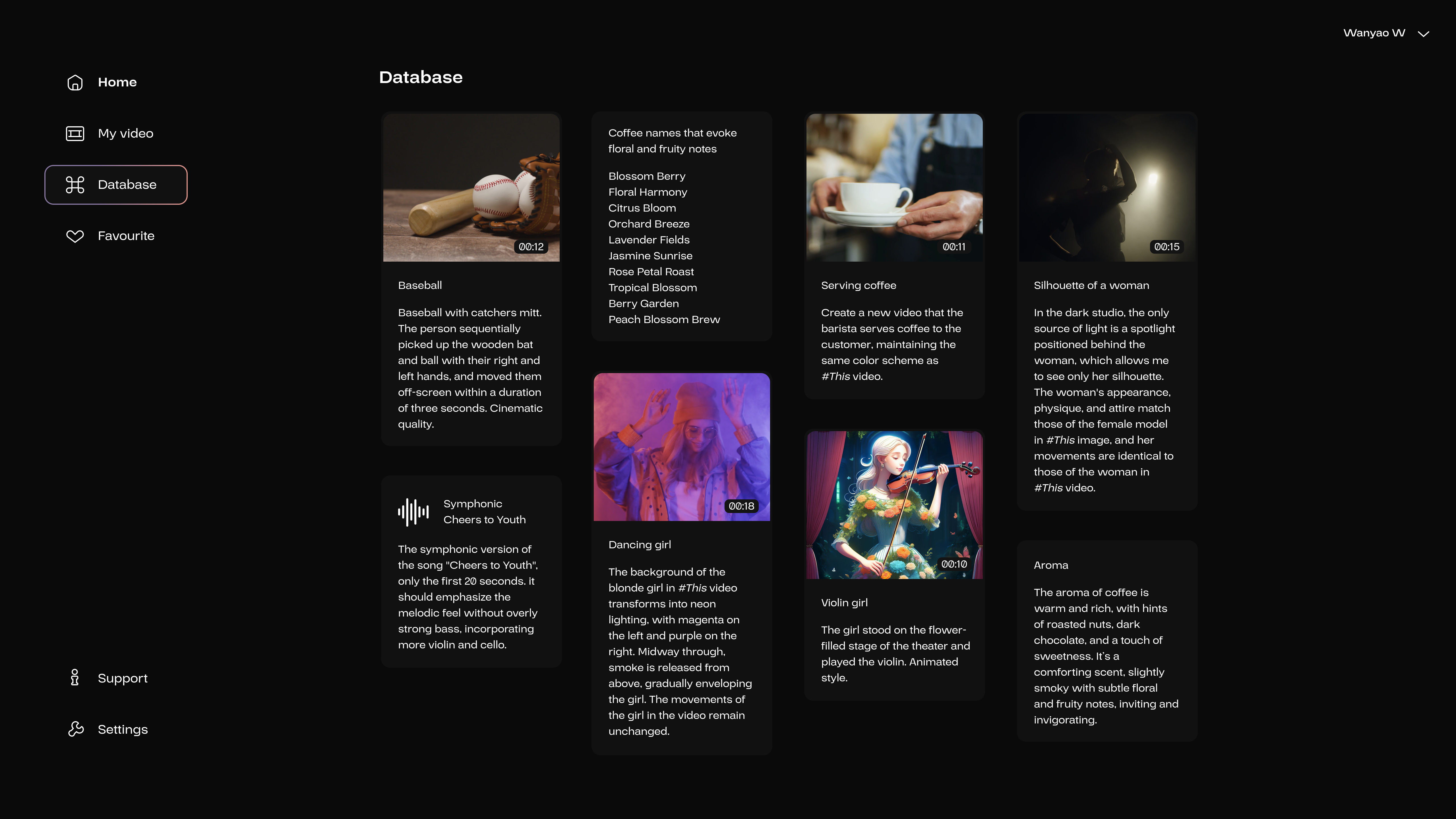
This page contains all previously executed and modified prompts, and displays the inputs for each prompt along with thumbnail previews of the output results. When the users click on a specific prompt, they are directed to its explainable output interface, where they can modify the prompt once again.
.png)